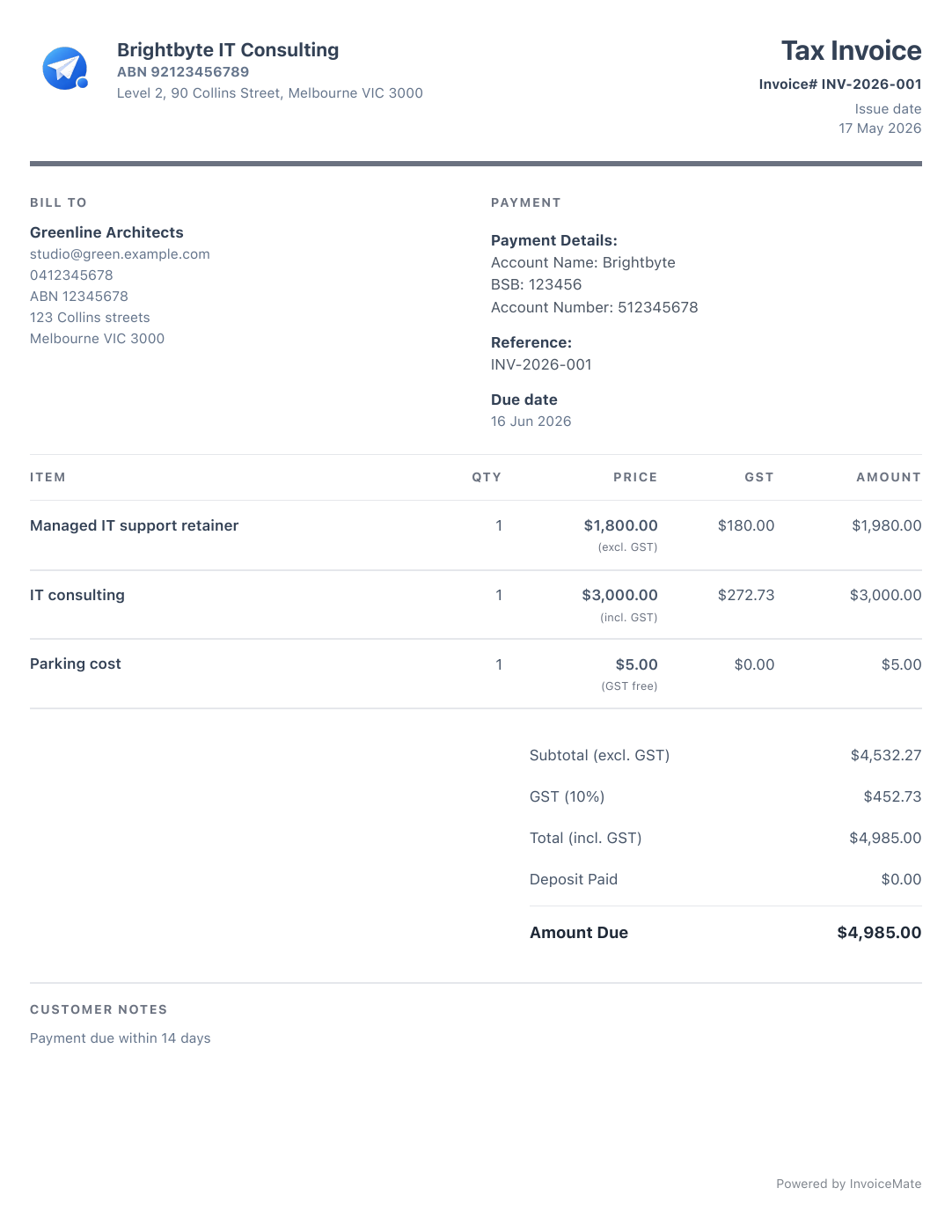
Look the part.
Every invoice.
Your business details, GST and payment information in a clean PDF template.
Send a professional invoice from site, see who has paid and keep receipts with the job. No paperwork waiting at home.
Unlimited invoices, free. No credit card. Works offline.
PRO Invoice from your desktop too — web appWeb app included with Pro →

Your business details, GST and payment information in a clean PDF template.
Share your invoice by email, WhatsApp or WeChat, straight from your phone.

 WhatsApp
 WeChat
Snap a photo, then review the supplier, date, amount and GST.
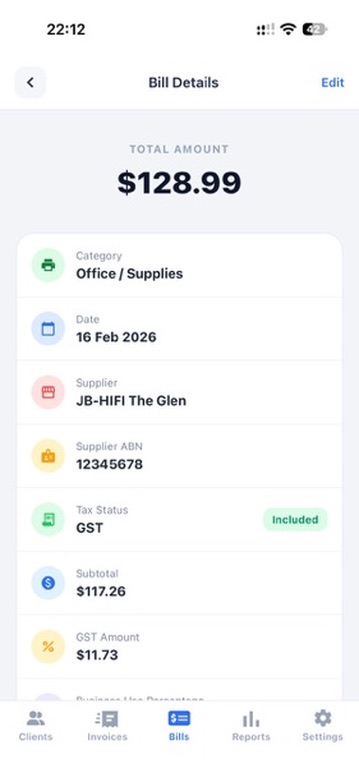
Export your reports as CSV files and email them to your accountant.
Use a saved client or add a new one from your phone.
Reuse common job items, then check GST, due date and payment details.
Share the PDF, then watch unpaid and overdue jobs in one list.
Add reports, sync, multiple businesses or the web app with a paid plan.
Eligible new customers get 1 month free before the store charges the regular price.
Subscribe in the InvoiceMate app on iPhone or Android.
| Free | Tax Pack | Pro | |
|---|---|---|---|
| Web app New Invoice from any browser · Log in | Not included | Not included | Included |
| Sync across devices | Not included | Not included | Included |
| Multiple businesses | Not included | Not included | Included |
| Export tax & GST reports | Not included | Included | Included |
| Xero export | Not included | Included | Included |
| Receipt scanning | 10/mo | 10/mo | Unlimited |
| Unlimited invoices & quotes | Included | Included | Included |
| Client management | Included | Included | Included |
| Expense tracking | Included | Included | Included |
| Invoice logo & templates | Included | Included | Included |
Export your clients, invoices and expenses anytime. Free on every plan, even after you cancel.
Yes. InvoiceMate is built for mobile invoicing, including client details, itemised amounts, GST where needed, PDF preview and sending.
Yes. You can organise invoices by draft, unpaid, overdue and paid status.
Yes. You can log expenses, categories, GST details and receipt attachments.
Yes. You can still create professional invoices and track expenses. GST fields are there when they apply to your business.

Send the invoice before you leave, instead of catching up on Sunday night.

The details to include, from your ABN to GST and payment terms.

The checklist the ATO expects on invoices over $82.50.
Have a question about InvoiceMate, downloads, or support? Send a message and we will get back to you.