Review invoice income by financial year and export useful summaries.
BAS-ready reports from your invoices and expenses
Keep income, expenses, GST and receipt records organised through the year, then export summaries when it is time to prepare BAS information.
Reports help with preparation and accountant handoff. InvoiceMate is not tax advice.
Turn daily records into useful summaries.
InvoiceMate helps you keep invoice and expense data structured so BAS preparation does not start with a messy spreadsheet cleanup.
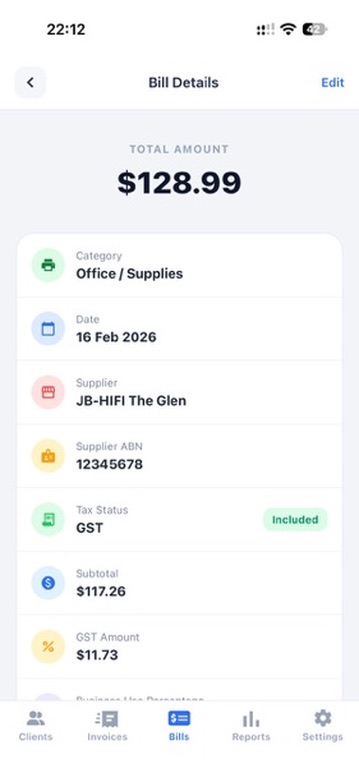
Keep costs categorised with GST details and receipt attachments.
Prepare GST-related totals from the records you have already entered.
Export reports that are easier to share when you need professional help.
Keep records ready before BAS time arrives.
The report workflow depends on clean daily records: invoices created in the app, expenses logged with categories, and receipts attached when available.
Record income with client details, itemised amounts and GST where it applies.
Add business costs, categories, GST and receipt attachments as you go.
Use income, expense, GST, BAS-ready and P&L reports for review or accountant handoff.
For small businesses that want less BAS-time cleanup.
InvoiceMate is useful when your business is simple enough for focused reporting but too busy for manual spreadsheet maintenance.
- GST-registered sole traders
- Consultants
- Tradies
- Mobile services
- Small businesses preparing accountant records
Why BAS-ready reports should start with daily records.
BAS preparation is harder when invoices, receipts and GST amounts are scattered. InvoiceMate keeps the source records structured.
BAS-ready reports FAQ
Common questions about using InvoiceMate for BAS preparation records in Australia.
What does BAS-ready mean?
BAS-ready means your income, expense and GST records are organised into summaries that can help with BAS preparation. It does not mean InvoiceMate lodges BAS or gives tax advice.
Does InvoiceMate lodge my BAS?
No. InvoiceMate helps prepare and export records. You should lodge through the appropriate ATO process or work with a registered tax professional.
Can I export GST summaries?
Yes. InvoiceMate supports GST and BAS-ready report exports when those records are available in the app.
Can I share reports with my accountant?
Yes. Exported summaries are designed to make review and accountant handoff easier.
Start free. Upgrade when you grow.
Use core invoicing and expense tracking for free. Upgrade anytime for reports, sync, and multi-business support.
Core invoicing and expense tracking.
- Client tracking
- Invoice tracking
- Expense tracking
- Scan receipts and invoices to extract details
- Core invoice workflow
$5.99 / month
Seamless sync across devices, billed monthly.
- All Free features
- Seamless device sync
- Manage multiple businesses
- Income summary
- Expense summary
- BAS-ready GST
- Profit & loss
$49.99 / year
Annual Pro access with sync, reports, and the best value for growing businesses.
- All Free features
- Seamless device sync
- Manage multiple businesses
- Income summary
- Expense summary
- BAS-ready GST
- Profit & loss
Export-ready reports for tax time and accountant handoff.
- Income summary
- Expense summary
- BAS-ready GST summary
- Profit & loss report
- Export-ready reports for your accountant
Helpful invoicing, GST and BAS guides.
Practical guides for Australian sole traders and small businesses using InvoiceMate to keep invoices, receipts and reports organised.
How to create a GST invoice in Australia
Learn the core steps for creating a GST-ready invoice with business details, line items, GST totals, PDF preview and clean records.
Read guide
Tax invoice vs invoice: what's the difference in Australia?
Know when to use a tax invoice, what changes when GST applies, and why non-GST invoices should not be labelled as tax invoices.
Read guide
What should be included on an Australian tax invoice?
Use this checklist to review the common information Australian tax invoices need before you send them to a customer.
Read guideContact us
Have a question about InvoiceMate, closed testing, or support? Send a message and we will get back to you.